What is the difference between display: none and aria-hidden=”true”

One of the common accessibility issues is caused by hiding content the wrong way. Developers often use display:none and aria-hidden=”true” as if they do the same thing, but they don’t.
Here’s a useful rule:
If nobody should see or interact with the content, use “display: none” (or the “hidden” attribute).
Examples:
➡️ a modal before it’s opened.
➡️ a collapsed accordion panel.
➡️ a loading indicator that’s no longer needed.
If the content should stay visible but be ignored by assistive technologies, use aria-hidden=”true”.
Examples:
➡️ a decorative icon next to a button label.
➡️ a visual separator.
➡️ an illustration that doesn’t provide additional information.
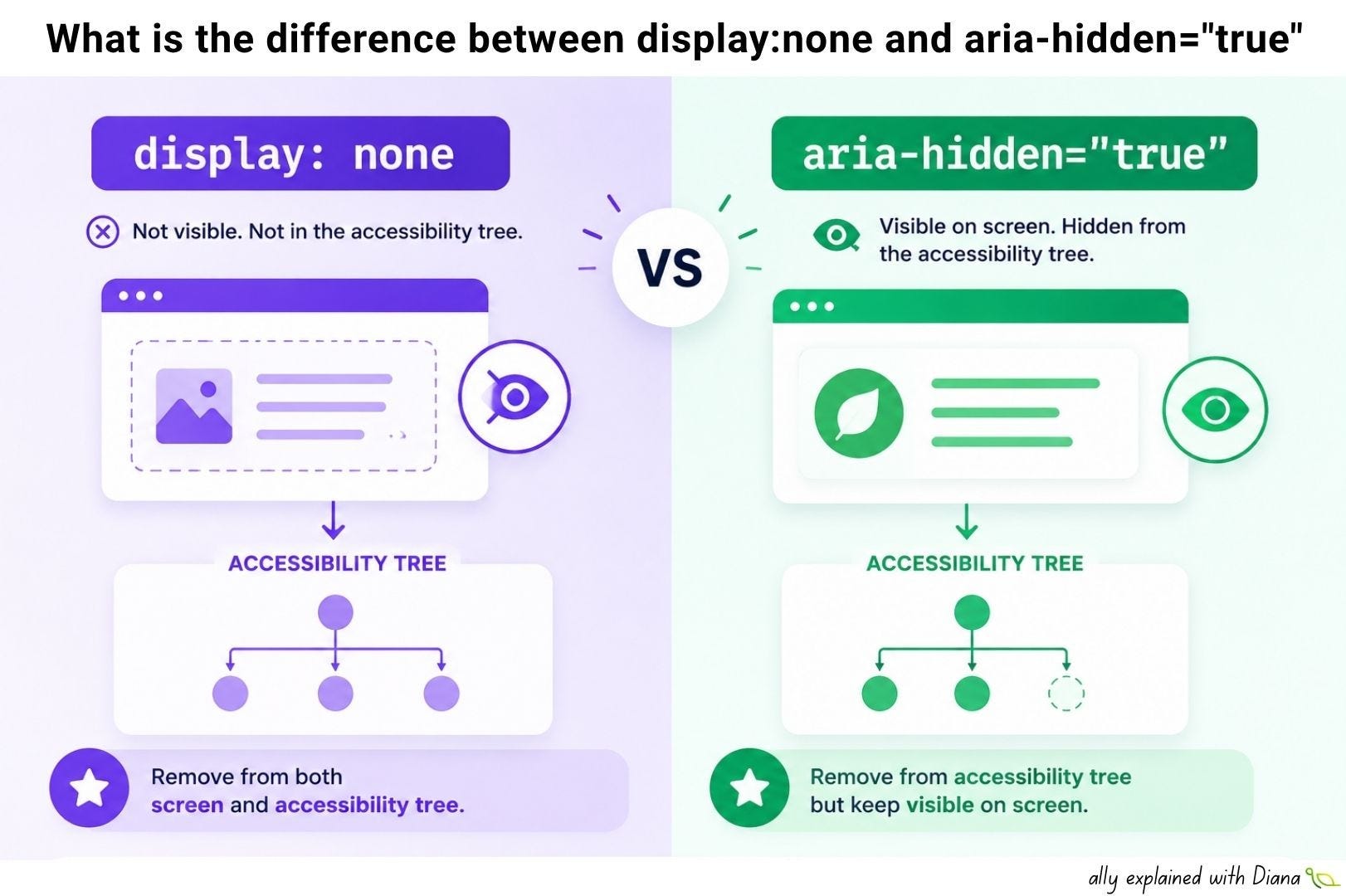
It matters because browsers expose web pages through something called the accessibility tree:
”display: none” removes an element from both the page and the accessibility tree.
”aria-hidden=”true”“ only removes it from the accessibility tree - it stays visible on screen.
if you hide meaningful information with aria-hidden, screen reader users may never know it exists.
if you hide a focusable element with aria-hidden, you create an experience that can be confusing or even impossible to use.
Some interesting facts about the difference between display: none and aria-hidden=”true”:
“display: none”, “visibility: hidden” and the HTML “hidden” attribute all remove content from the accessibility tree.
aria-hidden does not visually hide anything.
aria-hidden=”true” should never be used on focusable elements or on a parent that contains focusable elements.
before adding ARIA, ask yourself whether semantic HTML already solves the problem.
Here’s a useful checklist that can help:
✅ Nobody should see it → “display: none” or “hidden”
✅ Decorative content → aria-hidden=”true”
✅ Duplicate visual content → aria-hidden=”true” (when appropriate)
❌ Important information → don’t hide it from assistive technologies
❌ Buttons, links or form controls → never use “aria-hidden=”true”“ on focusable elements
It’s important to remember that you’re not just building the DOM - you’re building the accessibility tree as well and if you’ve never explored the accessibility tree in your browser’s developer tools, it’s well worth doing as it often explains accessibility bugs much faster than reading the HTML.
Have you ever found an accessibility issue that was actually caused by content being hidden the wrong way?