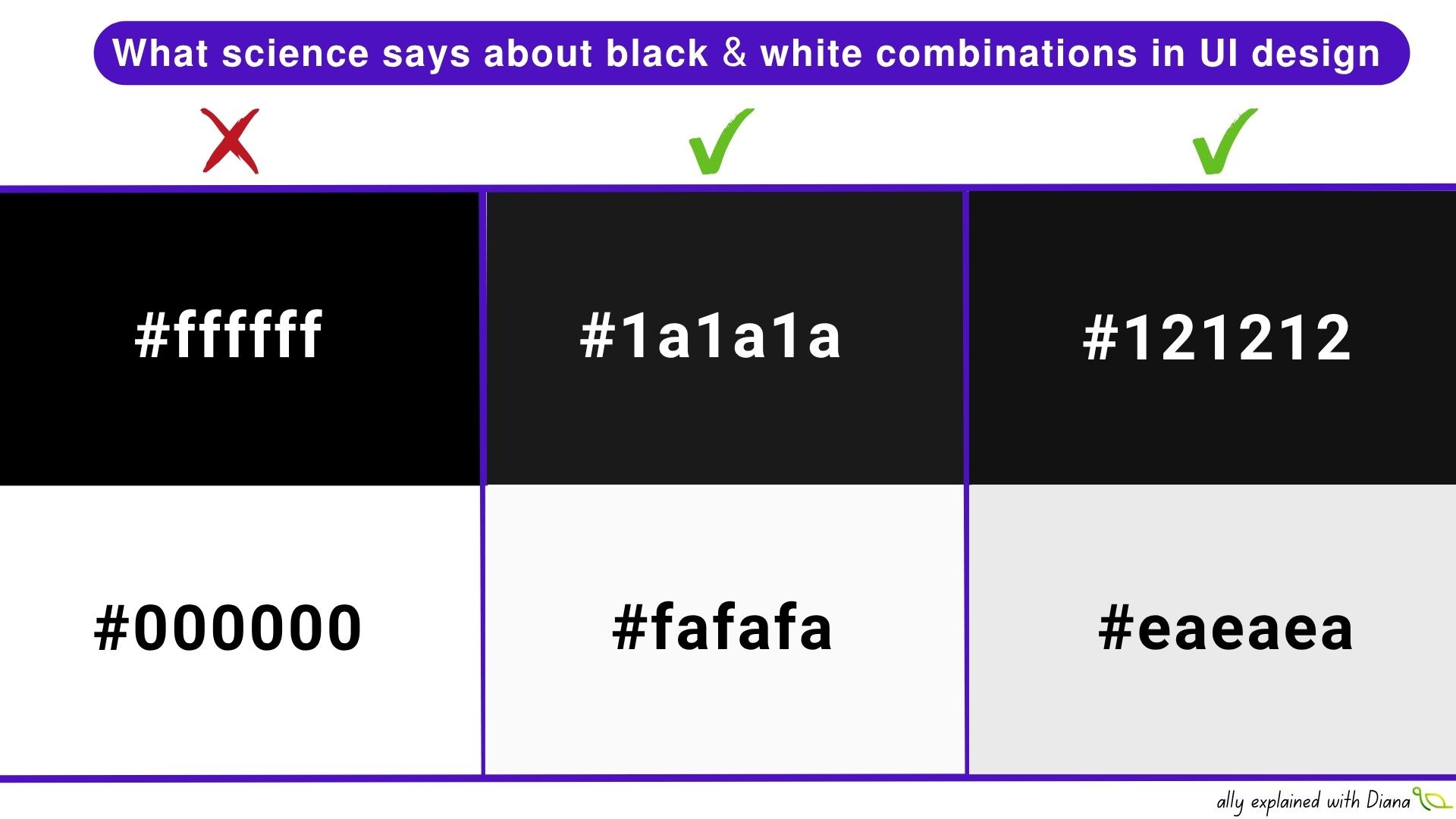
𝗪𝗵𝗮𝘁 𝘀𝗰𝗶𝗲𝗻𝗰𝗲 𝘀𝗮𝘆𝘀 𝗮𝗯𝗼𝘂𝘁 𝗯𝗹𝗮𝗰𝗸 & 𝘄𝗵𝗶𝘁𝗲 𝗰𝗼𝗺𝗯𝗶𝗻𝗮𝘁𝗶𝗼𝗻𝘀 𝗶𝗻 𝗨𝗜 𝗱𝗲𝘀𝗶𝗴𝗻

One thing that surprised me when I started reading more about readability research: pure black and pure white are often NOT the most comfortable combinations for users. Which is interesting, because in digital design we are taught almost the opposite: “maximum contrast = maximum accessibility”.
But readability research is much more nuanced than that.
Several studies found that people generally read dark text on light backgrounds faster than white text on black backgrounds (“positive polarity advantage”).
And one unexpected reason is something called halation: with very bright text on very dark backgrounds, letters can appear to “glow”, blur slightly, or bleed into the background. This effect becomes even stronger:
with smaller font sizes
on low-quality screens
during long reading sessions
for users with astigmatism
in low-light environments
Some users describe it as “text vibrating slightly”, which explains why interfaces that look visually “clean” in design files can become tiring surprisingly fast in real life.
Another interesting point: researchers studying eye movement and readability found that colour combinations directly influence reading speed, visual fatigue and focus stability.
And accessibility makes this even more complicated because there is no universally “perfect” combination. For some people:
dark interfaces reduce light sensitivity
help with migraines
feel calmer in low-light environments
While for others:
dark mode creates blurrier text edges
increases eye strain
reduces reading speed
makes concentration harder over time
Which is why accessibility is not only about passing WCAG contrast ratios. A technically compliant interface can still create visual fatigue, cognitive overload, headaches, slower reading, missed information and attention loss.
Another thing I find fascinating: research on readability suggests that our eyes do not only react to colour itself, but to luminance relationships between elements.
This is why many accessible design systems avoid:
❌ pure #000000 on #FFFFFF
❌ pure #FFFFFF on #000000
And instead use softer combinations like:
✔ #1A1A1A on #FAFAFA
✔ #222222 on #F5F5F5
✔ #EAEAEA on #121212
✔ #F1F1F1 on #1E1E1E
A few practical things worth checking:
Read your interface for 15–20 minutes continuously
Test it late at night and outdoors in sunlight
Reduce screen brightness and check readability again
Zoom text to 200%
Test with users who have astigmatism or visual fatigue
Check hover/focus states separately from static screens
Don’t evaluate colours only inside Figma
The more I work on accessibility, the more I realise that readability is deeply physical, not just visual.